 matosic

See your Hoymiles microinverters on your iPhone
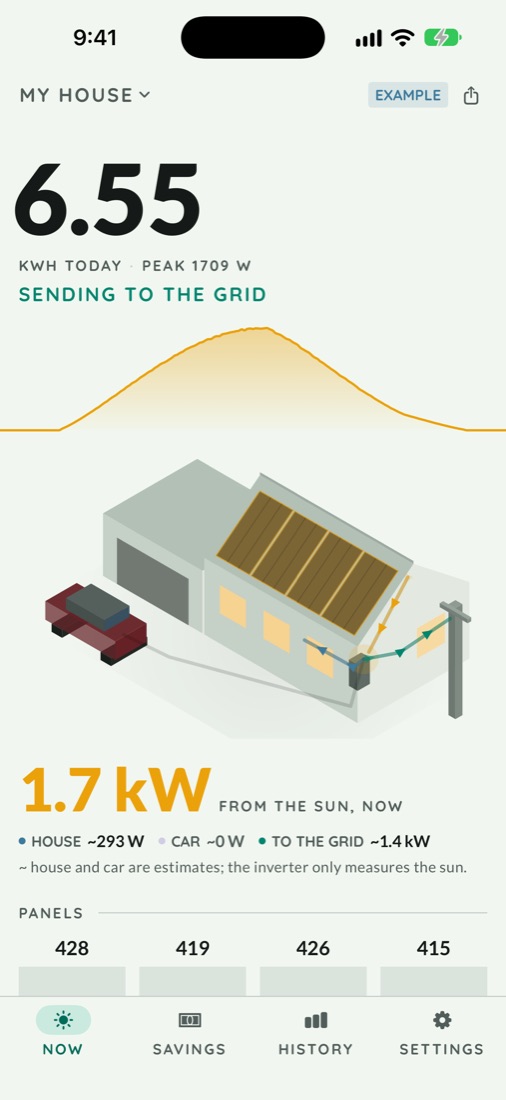
Cenit · iPhone & iPad · free for your homeCenit signs in with your S-Miles login and shows what each panel is making. For Hoymiles HM, HMS and MI microinverters, on iPhone and iPad. Free for a home.
Download on the App StoreS-Miles is Hoymiles' own app, and it's where everything gets set up. Cenit is another way to look at the same data. It compares your panels with each other and lets you know when one falls behind or when it's time to wash them.
What you need
Your S-Miles email or username and password. If your installer set up the account, ask them for it.
Your panels showing up in S-Miles already. That happens through a DTU (the small Hoymiles box on your Wi-Fi) or through microinverters with Wi-Fi built in. Cenit only sees what S-Miles sees.
Your password is kept in the iOS Keychain and only goes to Hoymiles' servers. Readings stay on your phone.
How to connect it
- Download Cenit and open it. You can look around with example data first if you like.
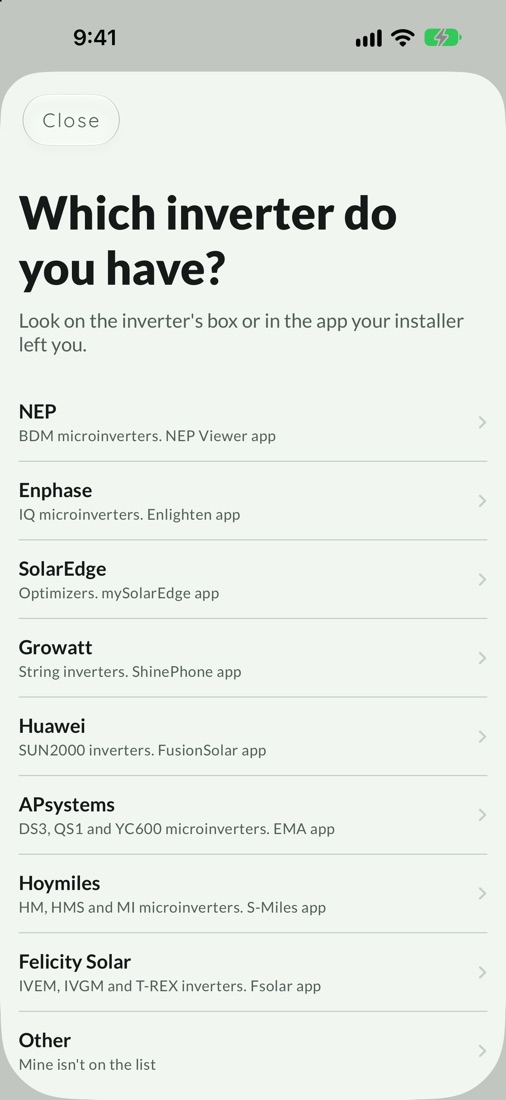
- Pick Hoymiles from the list of brands.
- Enter your S-Miles email or username and your password.
- If your login sees several plants, pick yours.
- That's it. Cenit pulls in your history, then checks every 15 minutes, which is how often the DTU uploads.
If Hoymiles asks you to change your password, do it in S-Miles and come back.
What you see with Hoymiles
Every panel on its own
Hoymiles reports each input on each microinverter, so you get a curve for every panel, every 15 minutes. Cenit numbers them in order, by microinverter serial number and then by input.
Dust, or one panel
If they all drop together, it's dust and time to wash them. If only one drops, it's that panel. When one has been below the others three days in a row, you get an alert.
Today against your best days
The dashed line behind today's curve is the most your panels made at that time of day over the last 14 days. A sunny day that comes in under it means something changed.
What the panels save you
Tell it what you pay per kWh and what you get for power sent to the grid, and it works out roughly how much the panels saved you this month and this year, in your own currency. In Mexico you get your margin before CFE's DAC tariff instead. When you connect, it pulls in about a year of daily totals, going back to when your plant was set up in S-Miles.
Widgets and alerts
Today's numbers on your home screen, and a heads-up when a panel has been low for days or it's time to wash them.
Cenit and S-Miles
You don't have to pick one. S-Miles is Hoymiles' official app and you'll keep using it for setup. Cenit only reads.
What Cenit adds
A comparison of your panels that tells dust from a fault, the line of your best 14 days, a savings estimate, widgets and alerts.
What you still use S-Miles for
Adding the plant, putting the DTU on your Wi-Fi, firmware updates and any microinverter settings. You can't change your password from Cenit either. All of that happens in S-Miles or with your installer.
Who makes it
Cenit is an independent app by Hrvoje Matošić, made in Mexico. It isn't made by Hoymiles and has no connection with Hoymiles. Hoymiles doesn't publish an API for owners, so Cenit talks to the same server their app uses. If Hoymiles changes something on their side, the connection can stop working for a while.
What it costs
Cenit is free for up to 3 plants, so a home never pays. An installer who watches more plants from one login pays by how many, once or by the month.
- 4 to 10 plants9.99 USD once or 0.99 USD a month
- 11 to 49 plants39.99 USD once or 3.99 USD a month
- 50 plants or more74.99 USD once or 7.99 USD a month
Questions
Is there an app besides S-Miles to see my Hoymiles microinverters on iPhone?
Yes. Cenit signs in with the same S-Miles login and shows every panel, today's curve and what the panels save you. It's free for a home.
Can I see production for each panel?
Yes. Hoymiles reports every input on every microinverter, and Cenit shows each panel with its curve every 15 minutes. It keeps the last 90 days of per-panel curves on your phone.
S-Miles won't load or doesn't show my panels. Will Cenit help?
It depends on what's wrong. Cenit reads the same Hoymiles cloud as S-Miles. If your data is reaching the cloud and it's the app that's stuck, Cenit can show it. If the DTU stopped uploading or your panels never showed up in S-Miles, Cenit won't see them either. Check that the DTU is still on your Wi-Fi, and if that doesn't fix it, talk to your installer.
Do I need a DTU to use Cenit with Hoymiles?
If your microinverters don't have Wi-Fi built in, yes. Cenit doesn't connect to your DTU or your microinverters. It reads what the DTU uploads to the Hoymiles cloud, the same as S-Miles.
How much does it cost?
Nothing for a home. Cenit is free for up to 3 plants. Only an installer who watches more plants from one login pays, starting at 9.99 USD once or 0.99 USD a month.
Cenit also works with NEP, APsystems, Enphase, SolarEdge, Growatt, Huawei, Felicity Solar, Fronius, Solis, GoodWe, Victron, Sungrow, Solarman and eGauge meters. See everything Cenit does.